
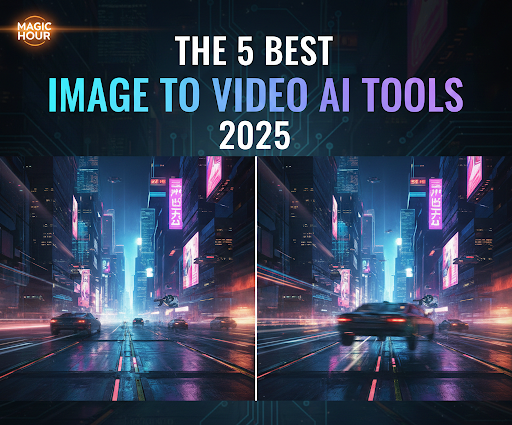
The ability to turn a static image into a dynamic, compelling video clip has rapidly shifted from a futuristic concept to a necessity for creators, marketers, and developers. As of June 2025, the best tools move beyond simple zoom-and-pan effects to offer cinematic motion, scene continuity, and deep creative control.
In the past two weeks, I tested the top five platforms, running the same set of diverse input images (portraits, landscapes, and abstract art) through each one. My goal was to determine which tool truly delivers professional, production-ready quality while maintaining an efficient workflow.
I guarantee at least one of these tools will meet your needs, whether you’re building a massive content series or perfecting a single artistic short.
📊 The Best Image to Video AI Tools at a Glance
This quick comparison helps practical decision-makers immediately find the platform that matches their workflow, budget, and creative requirements.
| Tool | Primary Use Case | Modalities | Platforms | Free Plan Available? | Key Strength |
| 1. Magic Hour | Professional-Grade Content & Studio Workflow | Image-to-Video, Text-to-Video, Face-Swap, Lip-Sync | Web | Yes (Generous) | All-in-one suite with unparalleled creative control and visual consistency. |
| 2. Runway Gen-3 | Cinematic Realism & Filmmaking | Image-to-Video, Text-to-Video, Video-to-Video | Web, iOS | Limited (Paid Tiers Recommended) | Unrivaled photorealism and advanced control over camera movement. |
| 3. Pika Labs | Fast, Stylized Social Media Clips | Image-to-Video, Text-to-Video, Text/Prompt Enhancements | Discord, Web | Yes | Speed and ease of use for quick, short-form, stylized content. |
| 4. Kaiber | Creative Musicians & Abstract Artists | Image-to-Video, Audio-to-Video, Text-to-Video | Web, Mobile | Yes | Excellent audio-visual synchronization and strong artistic presets. |
| 5. Luma AI (Dream Machine) | Emerging Innovation & 3D Understanding | Image-to-Video, Text-to-Video, 3D Scene Generation | Web | Yes | Leading the industry in physics-based realism and scene coherence. |
1. Magic Hour
Magic Hour stands out not just as an Image to video AI, but as a broad creative studio. It’s the platform I use most often for its seamless integration of high-fidelity video generation with essential post-production tools. It combines top-tier output quality with a smooth, intuitive workflow, making it the top choice for both solo creators and production teams.
The system is built on proprietary models that ensure character and style consistency across multiple clips. This feature is critical for any serious content series.
Pros
- Best-in-Class Consistency: Maintains subject identity and visual style across multiple generations, solving a major hurdle in AI video production.
- Integrated Suite: Includes Face-Swap, Lip-Sync, and AI image editing tools directly within the video workflow.
- High Control: Allows for granular control over motion, camera angle, and depth of field from a simple interface.
- Professional Output: Excellent for marketing, narrative shorts, and content that requires a polished final look.
- Scalability: Supports a robust API for developers and a cohesive studio workspace for teams.
Cons
- Learning Curve for Advanced Features: While the basic image-to-video is easy, mastering the integrated editing and control tools takes more time than simpler platforms.
- Not the Absolute Fastest: Generations are fast but prioritize quality and consistency over being the absolute fastest-to-output tool on the list.
If you’re looking for a platform that delivers professional-grade video with deep creative control right from the initial image, Magic Hour is perfect. Its suite of tools means I don’t have to jump between five different platforms to get a ready-to-publish clip. For anyone serious about making Image to video AI a core part of their content strategy, Magic Hour is the logical starting point.
Quotable Snippet: Magic Hour provides the most cohesive AI video workflow on the market, blending generation quality with necessary post-production control in a single platform.
Price and Plan Info
- Free: Available, no credit card required, includes basic Image-to-Video and key features.
- Creator: $15/month (monthly) or $12/month (annual billing) for increased credits and faster generation.
- Pro: $49/month for maximum generation speed, commercial rights, and priority support.
2. Runway Gen-3
Runway has consistently set the benchmark for cinematic realism. With the release of their Gen-3 Alpha model, they’ve doubled down on generating videos that are virtually indistinguishable from live-action footage. This is the platform that filmmakers and high-end video agencies turn to when the primary requirement is hyper-realistic movement and impeccable lighting.
It’s an incredibly powerful tool for not just image-to-video, but also for its extensive suite of “magic tools” like Inpainting, Clean Up, and Motion Brush, which allow for precise post-generation refinement.
Pros
- Hyper-Realism: Gen-3 Alpha model generates the most physically realistic, cinematic output on this list.
- Advanced Camera Control: Offers sophisticated options to control camera motion, depth, and intensity.
- Ecosystem of Tools: Features a comprehensive editor with tools like Gen-1 (Video-to-Video) and Gen-3 (Text/Image-to-Video) in one workspace.
- Strong on Continuity: Excellent at maintaining the visual structure of the input image while introducing realistic, fluid motion.
Cons
- High Credit Consumption: Achieving the highest quality can consume credits rapidly, making it more expensive for high-volume creators.
- Steeper Learning Curve: Optimizing prompts and utilizing the advanced camera controls requires more technical expertise than Pika Labs or Kaiber.
I tested Runway by feeding it a complex architectural photograph and asking it to execute a smooth dolly zoom. The result was production-ready, featuring flawless perspective and motion blur. If you have a professional budget and need your AI-generated clips to blend seamlessly with traditional film footage, Runway is unrivaled.
Price and Plan Info
- Free: Limited credits for basic experimentation.
- Standard: $15/month, suitable for individual creators.
- Pro: $35/month for serious creators who need a high volume of credits and premium features.
3. Pika Labs
Pika Labs has become the darling of the social media content world. Its strength lies in its speed, accessibility (originally via Discord), and ability to take an image and quickly create short, punchy, stylized clips perfect for TikTok, Instagram Reels, and YouTube Shorts. It excels at injecting energy and fun motion into portraits and stylized graphics.
While it has evolved into a dedicated web platform, the core focus remains on low-friction, high-velocity output. If your goal is to publish five clips a day on social channels, Pika Labs minimizes the time between idea and final post.
Pros
- Blazing Fast Generation: Among the fastest generation speeds available for quick iterations and A/B testing.
- Intuitive Interface: Minimal controls make it extremely easy for beginners to start generating engaging content immediately.
- Stylized Output: Delivers excellent, often artistic, stylized motion, especially for non-photorealistic images and character animations.
- Strong Free Tier: Allows extensive testing of its capabilities before committing to a subscription.
Cons
- Struggles with Realism: Can struggle to maintain photorealistic detail and object consistency in complex scenes compared to Runway or Magic Hour.
- Limited Customization: Fewer granular controls over camera and motion than professional-grade tools.
I found Pika Labs to be essential for quick experiments. When I wanted to see five different stylistic interpretations of a concept in under 15 minutes, Pika delivered. For content creators focused on high-volume, trend-driven, short-form video, Pika Labs offers the best balance of quality and speed.
Price and Plan Info
- Free: Includes a baseline number of credits for experimentation.
- Standard: Starts around $10/month, offering a large credit bundle suitable for daily content posting.
4. Kaiber
Kaiber is the go-to platform for artists, musicians, and anyone whose core need is to transform an image into a hypnotic, abstract, or beat-synced visual experience. This platform shines when it comes to style transfer and creating music-video-quality visuals that are more about artistic expression than photorealistic accuracy.
It offers a unique “Audio Reactivity” feature that analyzes an uploaded audio track and automatically generates motion and effects that sync with the beat and rhythm. This makes it a standout tool for music visualization and creative storytelling.
Pros
- Exceptional Artistic Styles: Features a vast library of unique, highly creative aesthetic presets and motion styles.
- Audio Sync Feature: Unmatched ability to generate visuals that organically move and react to an uploaded music track.
- Easy Concept-to-Video: Simple interface for quickly transforming a creative concept or image into a mesmerizing short video.
- Versatile: Popular among musicians, NFT artists, and experimental digital creators.
Cons
- Narrative Continuity: Can sometimes prioritize dynamic, artistic movement over maintaining scene or character consistency across longer clips.
- Lack of Fine-Tuned Motion Control: Less control over specific camera moves (dolly, pan) than its competitors; movement is often more fluid/abstract.
I used Kaiber to generate a visualizer for a piece of electronic music. The way the generated animation ebbed and flowed with the beat of the song was genuinely impressive, no manual keyframing required. If you are a musician or artist looking to create stunning, stylized visualizers that move with the sound, Kaiber is the definitive tool.
Price and Plan Info
- Free Trial: Available credits for initial testing.
- Explorer: Starts at $12/month, providing a generous credit pack for regular use.
5. Luma AI (Dream Machine)
Luma AI’s Dream Machine is one of the newest and most technically advanced entrants to the market. Leveraging a deep understanding of 3D space, physics, and scene structure, Dream Machine generates videos with a level of physical coherence that is often striking. When you give it a photograph, the resulting video understands gravity, perspective, and object interactions in a way that feels incredibly grounded.
While still rapidly evolving, its focus on “reasoning” and physical fidelity positions it as a major contender, especially for clips that involve complex spatial relationships or camera movement.
Pros
- State-of-the-Art Physical Fidelity: Generates video that respects the laws of physics and 3D space better than most current models.
- High Adherence to Prompt/Image: Excellent at retaining the details of the input image while adding motion.
- Impressive Camera Movement: Capable of highly smooth, complex, and realistic camera paths.
- Emerging Innovation: Rapidly improving, with new, cutting-edge features often dropping quarterly.
Cons
- Still in Active Development: While powerful, output quality can occasionally be inconsistent compared to the more mature workflows of Runway or Magic Hour.
- Generation Time: Sometimes slower than the fastest competitors, indicating the complexity of its underlying model.
I noticed immediately that when I used Luma AI to animate an image of a running figure, the resulting clip’s shadow and ground interaction felt more natural than on other platforms. For developers, researchers, or creators who prioritize the most technically advanced and physically accurate video generation, Luma AI is the platform to experiment with now.
Price and Plan Info
- Free: Includes a daily allowance of generations for testing.
- Creator: Starts at $29.99/month for higher daily generation limits and faster processing.
How We Chose These Tools
As a startup founder in the content technology space, my criteria for evaluating generative AI tools are entirely focused on production value, speed, and long-term viability. I spent a week testing the top candidates using a standardized methodology to ensure a fair and practical comparison.
My Testing Methodology:
- Standardized Input: I used the same three high-resolution input images for every tool: a close-up portrait, a wide outdoor landscape, and a piece of abstract digital art. This tested their ability to handle different subject matter.
- Identical Prompts: For each image, I used an identical descriptive prompt (e.g., “A slow, sweeping camera zoomed out from the subject. Cinematic, golden hour, 4K”) to evaluate how each model interpreted the same directional language.
- Consistency Check: For the tools offering longer clips, I ran the same prompt five times to check for visual and character consistency, a crucial factor for any series production.
- Workflow Assessment: I timed the overall process from image upload to final download to evaluate real-world efficiency, not just raw generation time.
Evaluation Criteria:
- Visual Quality and Realism: How cinematic and polished is the output? Does it avoid the “uncanny valley” and maintain photorealistic detail?
- Motion Control and Fidelity: Can the user dictate specific camera movements (pan, tilt, zoom) or motion within the scene? How smooth and realistic is the resulting movement?
- Consistency: How well does the tool maintain the original image’s style and subject details across the generated video frames?
- Usability & Integration: How quickly can a new user master the basics? Does the platform offer other helpful features (editing, face-swap, etc.) that improve the overall workflow?
- Cost Efficiency: What is the cost per high-quality generated second, and how useful is the free or entry-level plan for a professional creator?
The Market Landscape: Image-to-Video Trends in 2025
The Image-to-Video market is in a phase of aggressive maturation. In 2024, the focus was simply on getting an image to move. The key trend defining 2025 is the shift toward “Co-Creation” and “Fusion Tools.”
- Fusion Platforms: We are moving away from single-purpose tools. The biggest players are now platforms like Magic Hour, that fuse multiple AI capabilities (Image Generation, Image-to-Video, Lip-Sync, and Editing) into one cohesive, integrated workspace. This solves the major creator problem of juggling five different subscriptions and workflows.
- Granular Control: The battleground has moved from raw quality to control. Creators demand the ability to dictate specific camera movements, lighting conditions, and object motion within the video, as evidenced by advanced features in Runway Gen-3 and Luma AI.
- Consistency as a Feature: Models are increasingly being trained specifically to maintain character and visual consistency across different generations, recognizing that content series and brand campaigns are impossible without this feature.
- 3D Understanding: Tools are leveraging spatial and physics models to make movement less of a flat distortion and more of a physically accurate motion within a 3D environment, a trend Luma AI is currently pioneering.
This rapid advancement means that any creator or developer who hasn’t evaluated their toolkit in the last six months is likely missing out on significant gains in efficiency and quality.
Final Takeaway: Which Tool Is Best For You?
Choosing the best tool is all about matching its core strength to your primary use case.
- For the Startup Founder/All-in-One Creator: Magic Hour is the clear winner. Its combination of professional-grade image-to-video output, integrated tools (like face-swap and lip-sync), and consistency makes it the most efficient and scalable platform for a massive content pipeline.
- For the Filmmaker/Agency: Runway Gen-3 is the top choice. When the budget is high and the only acceptable output is hyper-realistic, cinematic quality with precise camera control, Runway delivers.
- For the Social Media Marketer: Pika Labs is the ideal solution. Its speed and low barrier to entry make it perfect for rapid-fire content testing and generating high-impact, stylized short clips.
- For the Musician/Art Director: Kaiber is a must-have. No other tool handles artistic style transfer and automated audio synchronization as effectively.
- For the Technologist/Innovator: Luma AI is the best sandbox for experimentation. It is constantly pushing the boundaries of realism and 3D scene understanding.
Remember to experiment. All the top tools offer a free tier or a low-cost entry plan. Take your core image-to-video use case, run it through the top two tools you think match your needs, and compare the results side-by-side. The right choice is the one that fits seamlessly into your production workflow.
❓ Frequently Asked Questions (FAQ)
What is the best overall Image to Video AI tool in 2025?
Based on a combination of visual quality, workflow integration, and feature depth, Magic Hour is the best overall tool in 2025. It offers a professional-grade suite that goes beyond simple generation to include necessary tools like Face-Swap and Lip-Sync, making it ready for a complete content production pipeline.
Can I create commercial content using these AI tools?
Yes. Most of the paid tiers on platforms like Magic Hour and Runway Gen-3 include commercial rights for the generated content. Always confirm the specific terms of your chosen subscription plan before using the output for paid advertising or client work.
How long does it take to generate a video from an image?
Generation time varies significantly by tool and by the complexity of the request. Simple, stylized clips from Pika Labs or Magic Hour can generate in under a minute. However, complex, high-resolution, cinematic outputs from Runway Gen-3 or Luma AI can take several minutes to process.
Is there a free tool that offers high-quality Image to Video AI?
Platforms like Magic Hour, Pika Labs, and Luma AI all offer generous free tiers that let you test their core functionalities. These tiers are excellent for experimentation, but serious, high-volume, or high-resolution commercial work will typically require an upgrade to a paid plan.
